








Connecting to Neon works like any Postgres database. You use a standard connection string with your language or framework of choice. This guide shows you the essentials to get connected quickly.
Get your connection string
From your Neon Project Dashboard, click the Connect button to open the Connection Details modal. Select your branch, database, and role. Your connection string appears automatically.
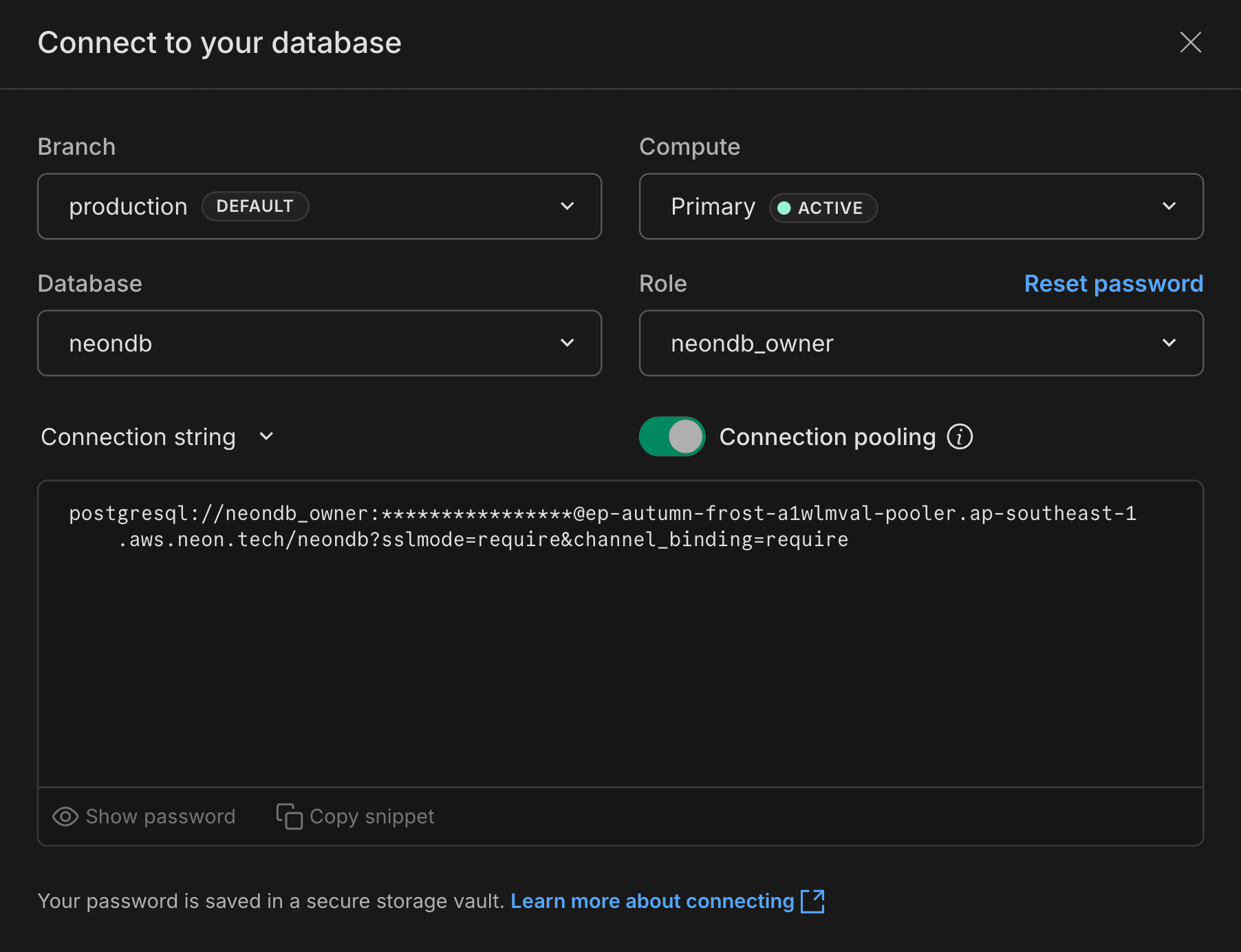
The connection string includes everything you need to connect:
postgresql://alex:AbC123dEf@ep-cool-darkness-a1b2c3d4.us-east-2.aws.neon.tech/dbname?sslmode=require
             ^    ^         ^                                                   ^
       role -|    |         |- hostname                                        |- database
                  |
                  |- password
note
Neon supports both pooled and direct connections. Use a pooled connection string (with -pooler in the hostname) if your application creates many concurrent connections. See Connection pooling for details.
Connect from your application
Use your connection string to connect from any application. Here are examples for various frameworks and languages:
// Works in Node.js, Next.js, serverless, and edge runtimes
import { neon } from '@neondatabase/serverless';

const sql = neon(process.env.DATABASE_URL);

const users = await sql`SELECT * FROM users`;
Store your connection string in an environment variable (like DATABASE_URL) rather than hardcoding it in your application.
Next steps
This covers the basics. For more connection options and detailed guidance:
Connect documentation
Comprehensive guide to all connection methods, troubleshooting, and security
Framework guides
Step-by-step guides for Next.js, Remix, Django, Rails, and more
Language guides
Connection examples for JavaScript, Python, Go, Rust, and other languages
Serverless driver
Connect from serverless and edge environments using HTTP or WebSockets
Need help?
Join our Discord Server to ask questions or see what others are doing with Neon. For paid plan support options, see Support.