








Projects
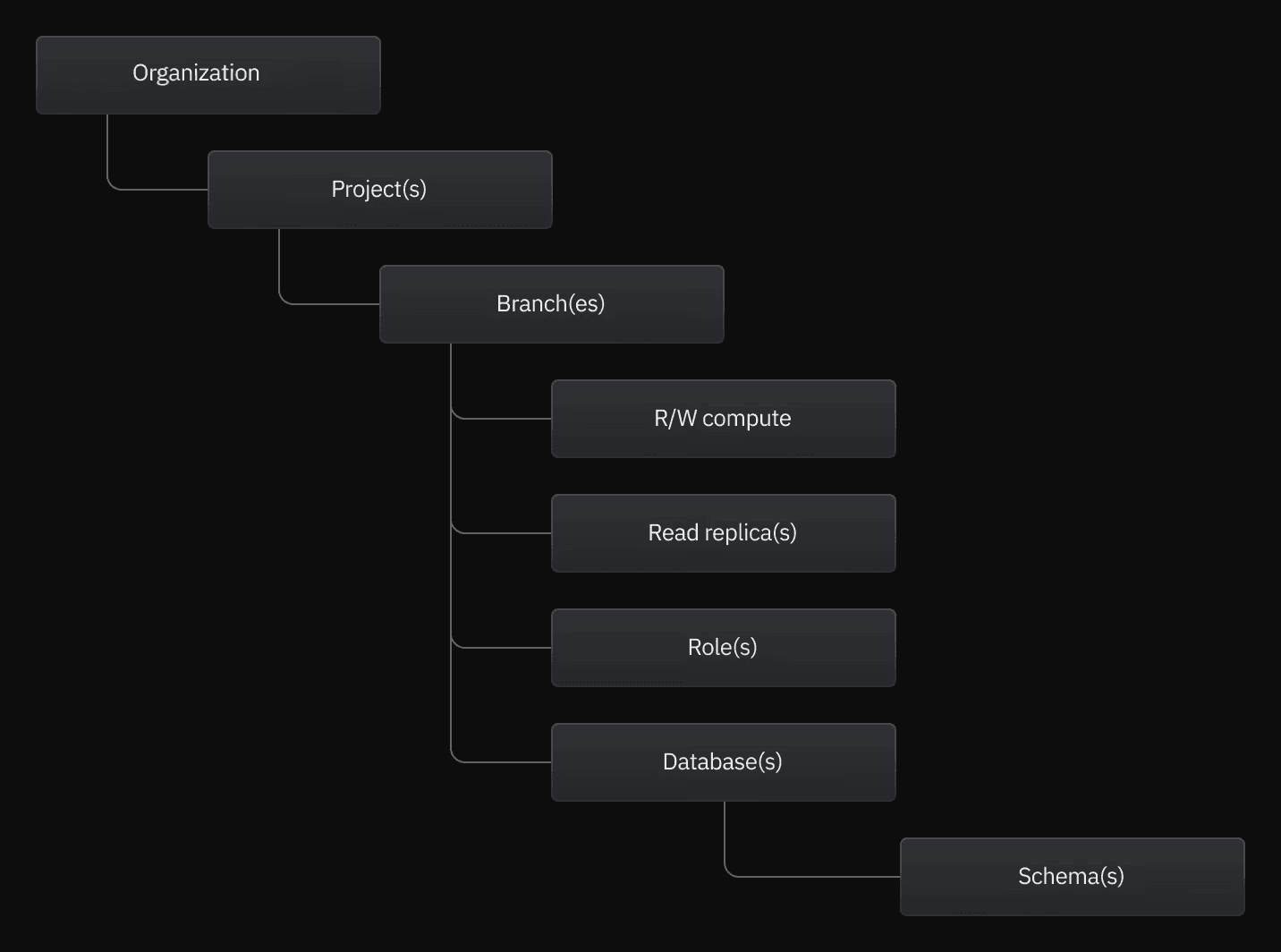
In Neon, a project is the top-level unit for managing your database. If you’re used to traditional Postgres deployments, think of a project as everything you’d normally configure around an instance, packaged up and ready to branch.
A project includes:
- A default branch (typically
main) - Any number of additional branches
- One or more compute endpoints (used to run queries)
- Role-based access controls
- Storage, usage, and billing settings
All branches in a project share the same underlying storage backend. This shared storage is what makes Neon’s branching fast, efficient, and scalable - branches don’t duplicate data unless they diverge.
Branches
A branch in Neon is a lightweight, copy-on-write clone of your database. When you create a branch, it inherits both the schema and data from its parent at that moment. Instead of copying everything, the branch references the same underlying data and only stores changes made after branching.
Key properties of Neon branches:
- Instant creation. Branches spin up in seconds, even for large databases. There’s no exporting, importing, or replication setup.
- Copy-on-write storage. A branch shares its parent’s data until changes are made. Only the diffs are written, which keeps branching fast and cost-efficient.
- Short-lived by design. Branches are meant to be created freely, used for a specific purpose, and deleted when they’re no longer needed.
- Resettable. Any branch can be instantly reset to match its parent.
Hierarchies
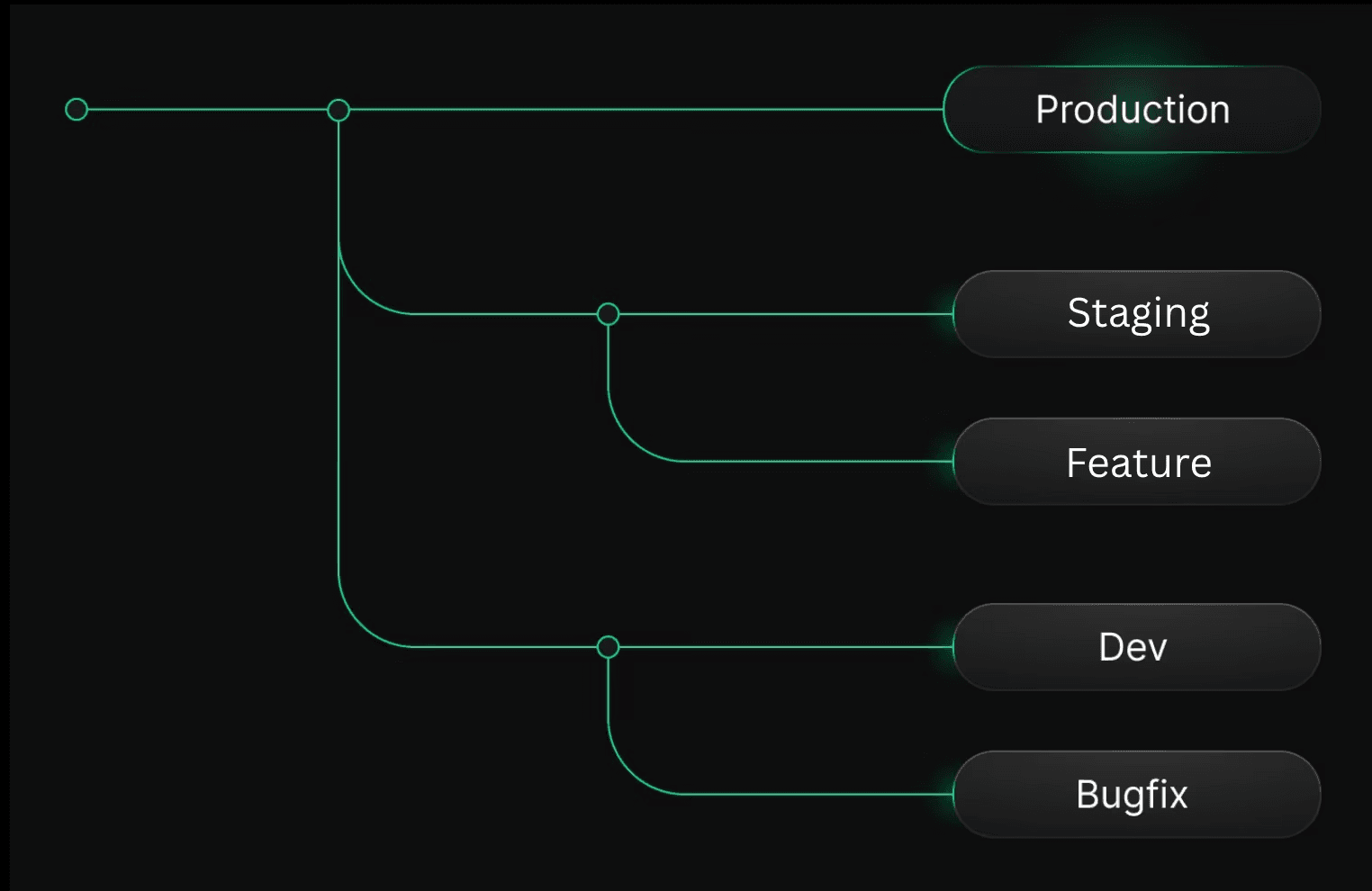
Every Neon project begins with a root branch: a baseline environment from which all others are derived. This root branch serves as the anchor for the rest of your environments.
From there, you create child branches - lightweight copies that inherit schema and data from the root, but operate independently. These branches can be reset, discarded, or promoted without affecting their parents. Think of them as safe, on-demand workspaces built from a known-good state.
In most projects, the root branch becomes the source of truth. It might represent your actual production environment, or a production-like clone seeded with trusted data. From this base, teams derive temporary environments for development, testing, QA, automation, and previews.
Independent computes
Each branch in Neon gets its own independent compute endpoint. That means:
- No noisy neighbors between environments
- No shared connection pools
- No risk of a test or migration impacting production performance
Compute scales independently per branch based on load. When a branch is idle, Neon automatically scales its compute down to zero. When traffic returns, it resumes automatically.
Instant restore and snapshots
Because Neon’s storage is versioned, every branch preserves history. This allows you to:
- Create a new branch from any previous point in time
- Recover dropped tables or deleted data
- Inspect historical states without restoring backups
- Debug migrations by comparing before and after states
Snapshots build on this same foundation. A snapshot captures the full logical state of a branch (schema and data) at a precise moment, and can be restored instantly to another branch in the same project.